

Creative Delivery
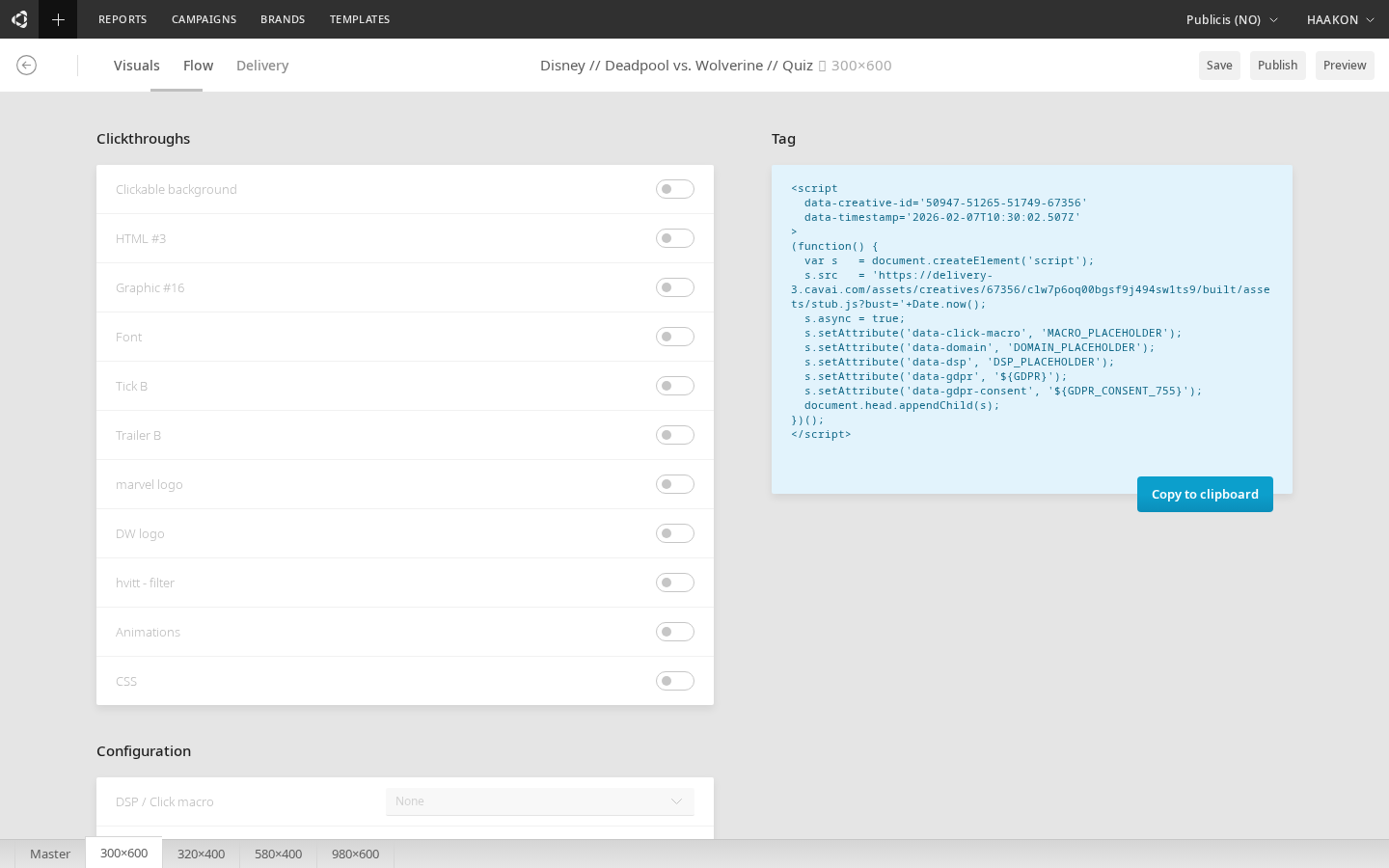
The Delivery tab in the Builder configures how the creative is served by ad platforms — clickthroughs, tracking, and the generated ad tag. It is split into an options panel on the left and the generated tag code on the right.
TIP
Some settings require saving the creative before the tag updates. When this happens, the tag panel shows an overlay prompting you to save.
Tag code
The right side of the Delivery tab shows the tag — the code snippet that ad servers and publishers use to serve the creative. The tag is specific to one creative and reflects the current delivery settings.
A tag defines the size, content, and tracking of the delivered creative. Visual content can be updated after the tag is generated, but certain attributes (like format and dimensions) are fixed at generation time. If these need to change, a new tag must be generated.
For multi-format (master) creatives, a multi-tag selector lets you pick which child format's tag to view and copy.
Clickthroughs
Configure which parts of the creative are clickable:
| Setting | Description |
|---|---|
| Clickable background | Makes the creative background clickable. Provide a destination URL. |
| Clickable header | (Expandable only) Makes the header clickable with a destination URL. |
| Visual element clickthroughs | Configure individual clickthrough URLs for text, button, and graphic elements. |
Click-through behavior
Visual elements (text, graphic, HTML blocks) without a clickthrough URL are transparent to clicks — taps and clicks pass through to the background. Only elements with an explicit clickthrough URL capture clicks. When a clickable background is configured, clicks on the empty areas around form fields within a form block also trigger the background clickthrough.
Configuration
| Setting | Description |
|---|---|
| Click macro | Select the ad platform where the creative will be hosted (e.g. Adform, DV360, Google Ad Manager). Each platform uses its own click macro placeholder in the tag. |
| Impression pixel tag(s) | HTML tags for impression tracking. Added automatically to the generated tag. |
| Impression pixel URL | URL-based impression pixel. Added automatically to the generated tag. |
TIP
Impression pixel options are hidden when VAST delivery is enabled, since VAST has its own tracking mechanism.
Customization
| Setting | Description |
|---|---|
| Container z-index | (Expandable only) Controls the stacking order of the creative on the page. Default is the maximum CSS z-index value (2147483647), ensuring the creative appears above other page elements. Lower this if something like a consent dialog needs to appear above the creative. |
| Goal time | Seconds after first interaction before the "time goal met" metric fires. The timer starts on first click (or expand for expandable creatives). |
| Bubble trigger | (Expandable only) Provide the id of an HTML element on the publisher page that should trigger the creative to open. For example, a page button with id="myBtn" can expand the creative on click. |
| SPA (Single Page Application) | Adapts the tag for dynamically-loaded SPA pages, ensuring the creative remembers its original URL context. |
| Use on load | Triggers the creative on page load rather than waiting for other events. |
| Advantage | Enables Advantage optimization for the creative. When enabled, the Builder preview and standalone preview simulate scroll-based Advantage interactions so you can verify creative behavior before publishing. |
| SafeFrame | Enables SafeFrame compatibility. SafeFrame is an IAB-standard managed iframe that opens communication between the publisher page and the ad. When enabled, expandable creatives use the SafeFrame API to expand and collapse within the publisher's managed iframe. See IAB SafeFrame Guidelines. |
Video delivery options
| Setting | Visibility | Description |
|---|---|---|
| VAST | When the creative contains a video block | Enable VAST (Video Ad Serving Template) delivery. Configures VAST tracking URLs for impression, start, quartiles, complete, and clickthrough events. Also supports VAST companion ads. |
| VPAID | Always available | Enable VPAID (Video Player-Ad Interface Definition) for interactive ads served inside a video player. Configures VPAID-specific options like duration and skip behavior. |
WARNING
VAST and VPAID are mutually exclusive — enabling one disables the other.